
Microsoft 365 Copilot guide for work
Everything we have learnt about rolling out AI safely at work, from a free AI policy template to hands-on guides for Claude, ChatGPT and Copilot.
Documents
Pick a document to open it
Microsoft Copilot Guide
Getting started with AI in Microsoft 365
The material from our Microsoft 365 Copilot workshop
Use the arrows to browse the six slides, from licences to prompt templates you can paste straight into Copilot Chat.
Microsoft 365 Copilot
Your AI assistant inside Office
Copilot Chat
Available to everyone on M365 Business Basic, Standard and Premium, E3 and E5.
M365 Copilot
An add-on licence that connects Copilot to your own M365 data. Irish list price for Copilot Business, annual, excl. VAT, September 2026.

Copilot Chat on microsoft365.com
Getting started
Three ways to open Copilot
Web
microsoft365.comSign in with your work or school account.
Desktop
Apps → Install appsInstall the app to have it one click away.
Mobile
App Store / PlaySearch for "Microsoft 365 Copilot".
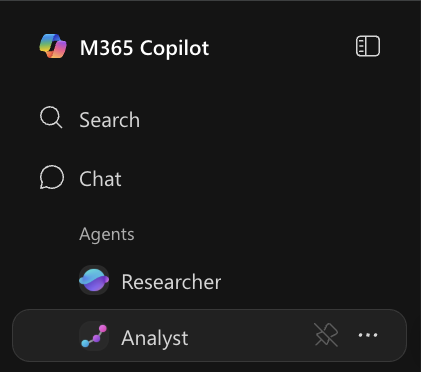
Navigation
Copilot Chat
The slash command and tips
The slash command: /
Type / in the chat to:
Without a licence: upload files
Click + → "Upload" to analyse a document directly.
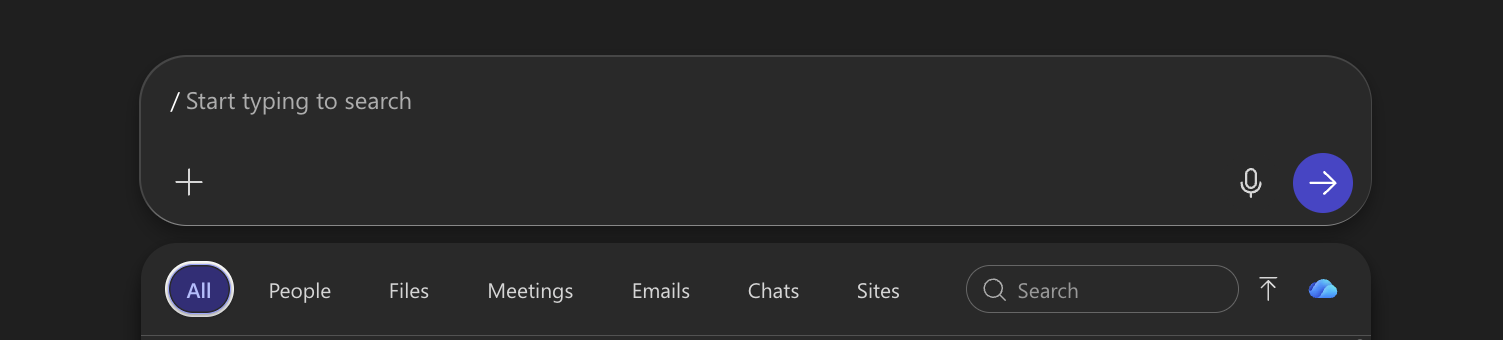
Type / to reference a document
Tips for better answers
Office and agents
Word, Excel, PowerPoint and AI agents
Word
- Ask about the document
- Draft text
- Summarise
Excel
- Ask about the data
- Formula suggestions
- Charts
PowerPoint
- Content suggestions
- Create slides
- Speaker notes

The Copilot button in the Office apps
Copilot Agents
Researcher
Searches email, Teams, files and the web in one go, which suits research and project follow-up.
"Find Project X and tell me the timeline and the latest communication"
Analyst
Analyses data, finds patterns and builds charts.
"Analyse this Excel sheet and chart the trends"
Prompt templates
Copy, adapt, use
Meeting
Summarise
Ideas
Research
Prepare
Remember
Training the whole team
satori. trains European teams on the AI tools they already pay for, at a fixed price per user in euros
Tip: Start with Copilot Chat, and add the M365 Copilot licence once you want answers from your own email and files.
We use analytics cookies to see which pages people read, and marketing cookies stay off unless you tick them under Details.